
Your first sign-in
We set up your login for you. The first time in, change the password to one only you know, then add a one-time code so a stolen password alone is not enough.
Open the tracker and log in
Go to partner-demo.talkaustralia.au and press Log in. Type your email and the first password we read out to you, then press SIGN IN.
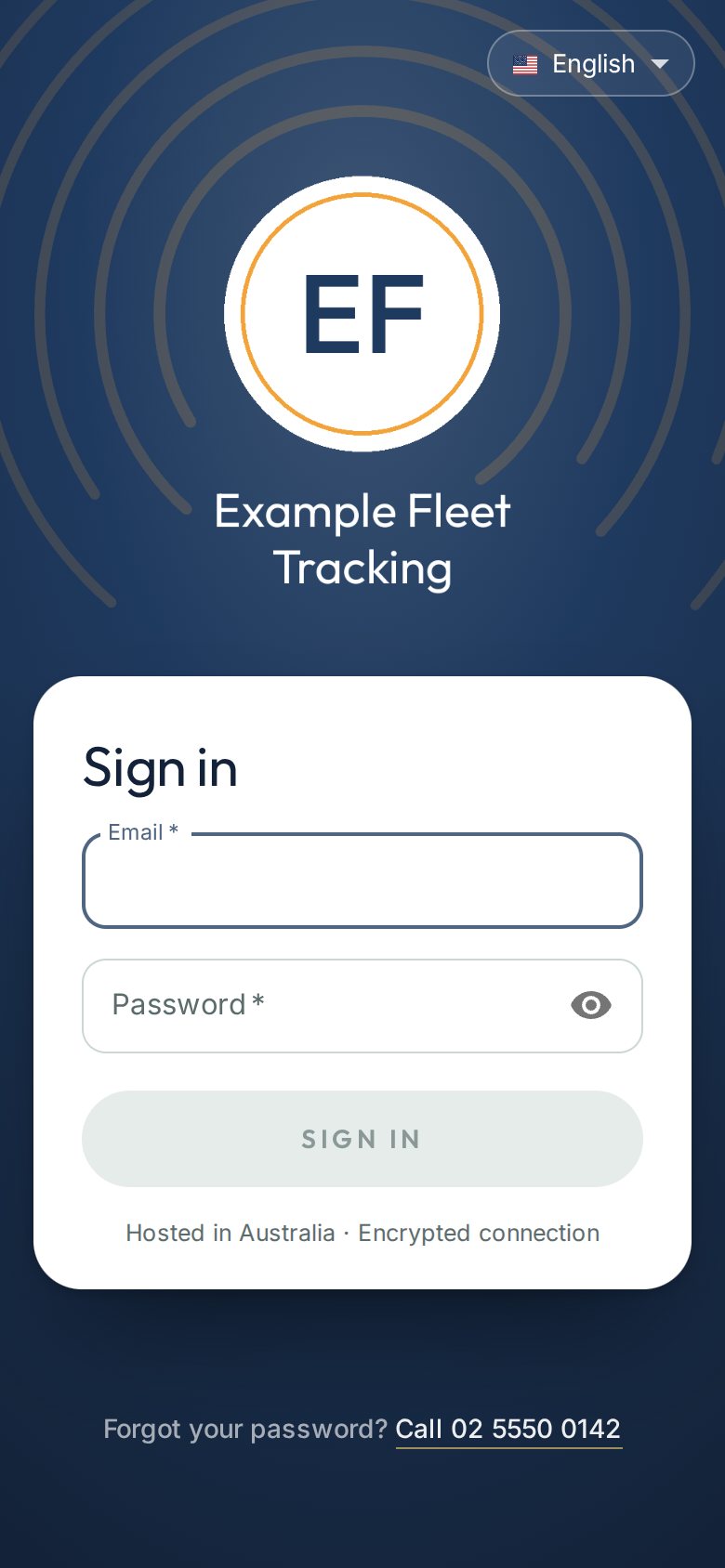
The sign-in page on a phone. Change the password to your own
At the bottom of the asset list, press Settings, then My login. Type a new password in the Password box and press SAVE.
Good to knowPick three or four unrelated words. Long is stronger than complicated, and easier to remember.Switch on your one-time code
While you are signed in, go to partner-demo.talkaustralia.au/hire/code. A square code appears.
Open an authenticator app on your phone (Microsoft Authenticator and Google Authenticator are both free), choose to add an account, and point the camera at the square. Then type the six digits the app shows and press Switch it on.
Good to knowThe codes are time-based: a new six-digit number every 30 seconds. Your phone needs to set its own time automatically, which almost all do.Sign in with the code from now on
Next time you log in, the tracker asks for a six-digit code after your password. Open the authenticator app and type the number it shows. The number changes every 30 seconds.
Take careNew phone, or lost phone? Call us on 02 5550 0142. We check it is really you, then clear the old code so you can set a new one.