
Read your morning list
A map tells you where things are. The morning list tells you what to do about it. It is worked out fresh before you start each day.
Open it
Go to partner-demo.talkaustralia.au/hire/ while you are logged in.
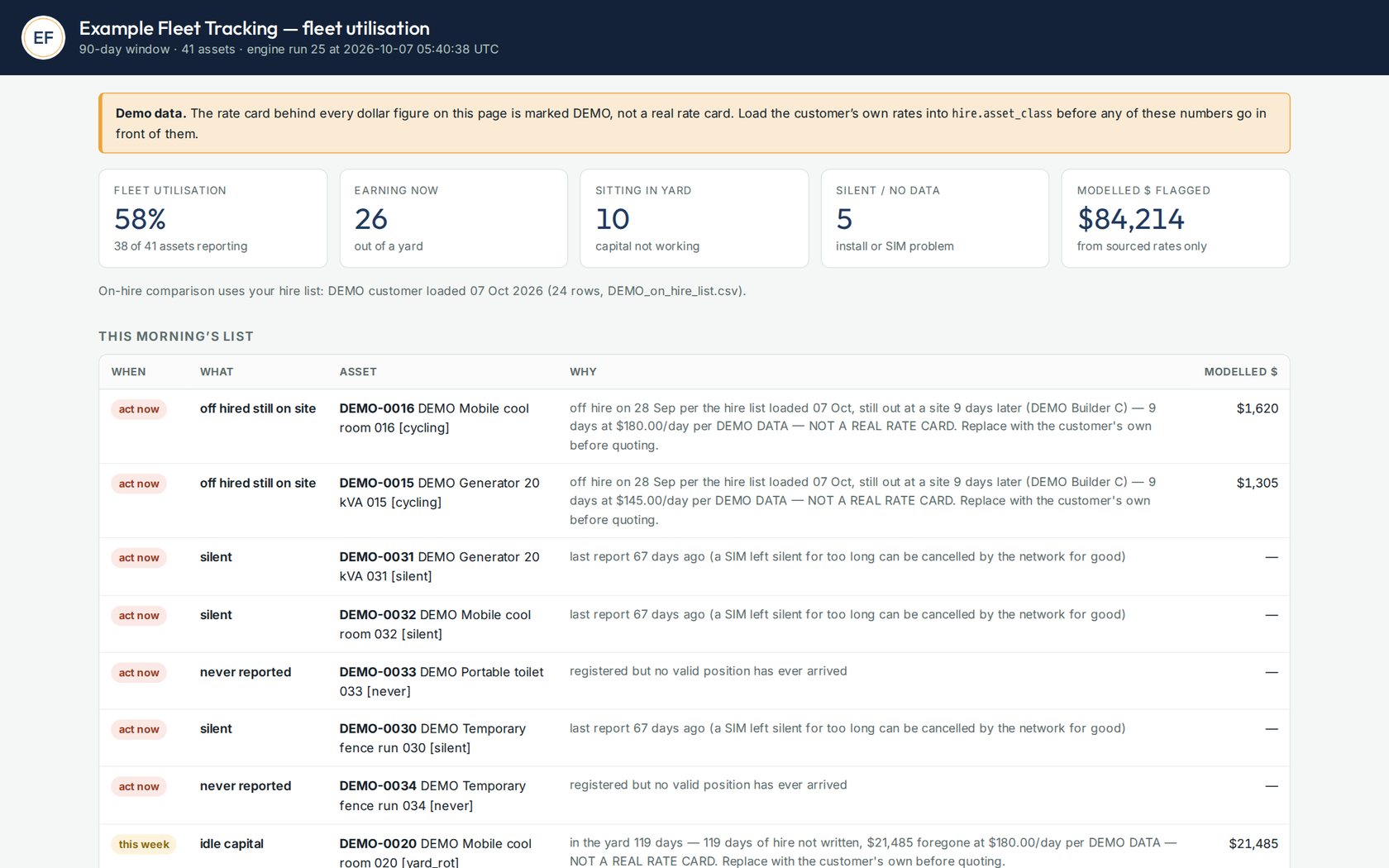
The morning list. This one shows our demonstration fleet, which is why it carries a demo banner. Read the four numbers at the top
Number What it tells you Fleet utilisation Of the days we could see, the share your assets spent out of the yard. Earning now How many are out of a yard today. Sitting in yard How many are in one of your yards today. Silent / no data How many we have not heard from. See the guide on quiet trackers. Work down the list
Each line has a When (act now, this week, or watch), the asset, and a plain reason.
What it says What it means What to do Off hired still on site Your books say the hire ended. The unit is still out. Book the pick-up, or put it back on hire. On hire in yard Your books say it is on hire. It is sitting in your yard. Check the paperwork. Is it going out, or was it never taken off hire? Left yard unbooked It is out, and your books show no hire for it. Find out who took it and raise the hire. Silent No report for longer than it should go. See "A tracker has gone quiet". Never reported Fitted, but never heard from. Call us. It is ours to fix. Idle capital It has not left the yard in weeks. Hire it, move it to a busier yard, or sell it. Good to knowA dollar figure appears only where it can be worked out from your own hire rates. No rate on file, no dollar figure.